One login · many account books
GHILMAN ERP
Personal · Home · Shop — open more books anytime.
Each group is a full accounts book. Start with Personal, Home and Shop — or add family, project, partner and more. Books stay separate; the board can show them together.
Offline · 1 phone
Live · 1 phone
Live · 2 phones
Live · Team
See multi-book screens →
Screens
Personal · Home · Shop — and more
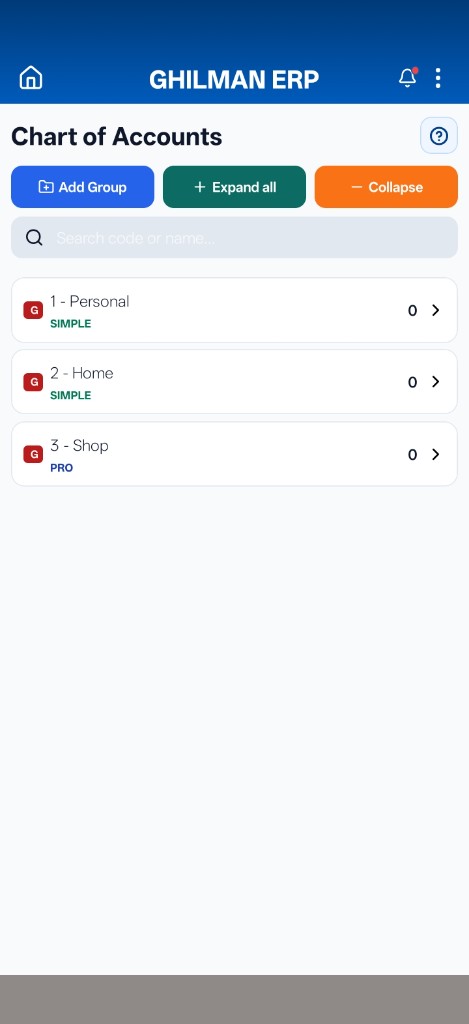
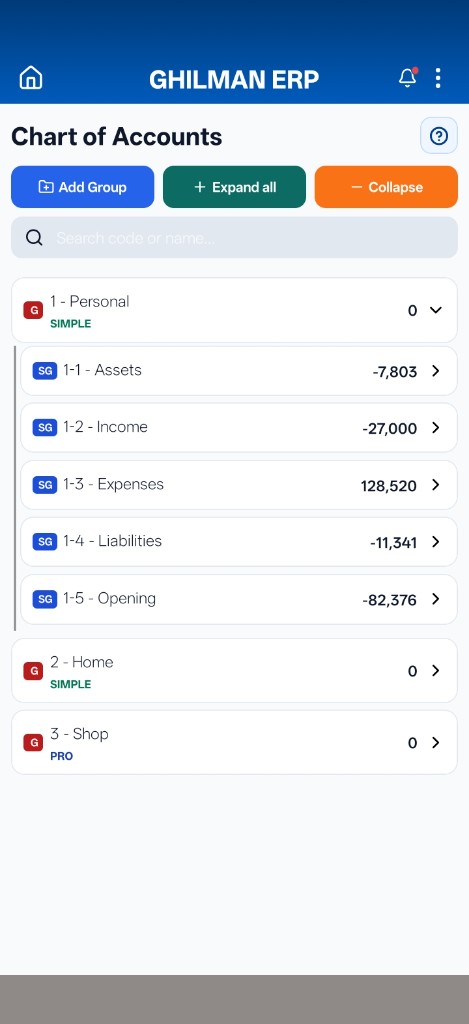
Each group is its own accounts book. Add Group opens another — family, shop, project, partner — whenever you need. Board can show every book together without mixing.
1 / 3
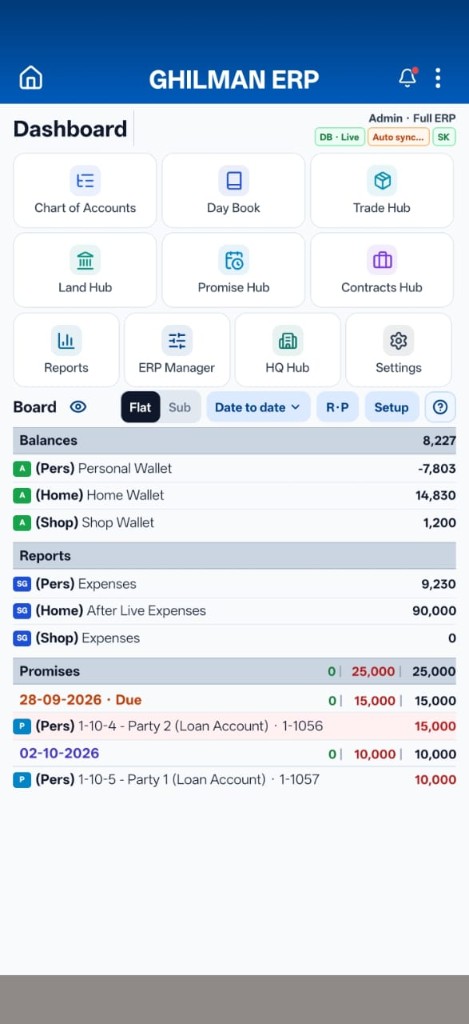
Dashboard
Personal · Home · Shop — and any other book you open — each keeps its own balances on the same board.
- Many books
- Multi groups
- One book open
Why GHILMAN
Clear for daily use. Ready to grow.
Multi books
Personal · Home · Shop — and open more groups anytime. Each is a full accounts book; the board can show them together without mixing.
Works offline
Enter and check books without internet. Backup stays on your phone — work continues anywhere.
Live when ready
Turn Live on for cloud sync. Start with one phone, then add a second phone or Team.
Grows with you
Start with accounts. Open Trade, Land and Town as you need — same app, no relearning.
Modules
Tools named for real work
Each module does one job — easy for owners and staff to find.
Chart of Accounts
Where every book starts
Build groups and accounts your way — Personal, Home, Shop, or any new book you open. Clean structure keeps entries and reports trustworthy.
Daybook
Daily money in and out
Post receipts, payments and transfers quickly. Cross-group moves stay clear so balances stay honest.
Reports
Answers you can share
Statements, period views, payable and receivable — print or share when you need a clear answer.
Promise
Installments that update as you pay
Receive and pay plans by party and due date — alone, or linked to trade, land, town and Daybook.
- Auto reduce: pay against a due line and the remaining amount drops.
- Partial pay: pay less than due — roll the rest forward, or leave it on the balance.
- Follow-up: overdue and party views keep dues visible.
Contracts
Agreements on record
Keep agreements written and linked — not only in memory.
Backup & Drive
Your data, safe
Phone backup, Safe folder and Google Drive — restore when you need it.
Purchase · Sale · Services
Bills with stock impact
Item and service bills with payment — stock and accounts update together.
Item Use & Wastage
Stock for real use
Record material used on work and wastage — cost stays in the books.
Item Transfer
Store to store
Move stock between stores with a clean trail — boards match what you have.
Buy · sell · registry
Land
Land purchase and sale with registry tracking — deals linked to accounts, not only paper.
Plots and sales
Town
Project land → plots → sale → registry, plus installment plans — one path from land to sold plots.
Offline & Live
Start offline. Go Live when you need it.
One phone first. Add cloud sync, a second phone, or Team when ready — same books, clear rules.
Offline · 1 phone
Books on the phone with local backup. No Live database required.
Live · 1 phone
Work on the phone; turn Live on to sync safely to the cloud.
Live · 2 phones / Team
Same data on phones. Team seats under one account with clear limits.
Languages
English and Roman English
Switch language in the app so owners and staff can work comfortably. This website stays in English.
Coming next
Deeper tools, same path
Ships with app updates — learn once, open more when you need it.
Deeper Trade
Deeper Town
Richer contracts
Employee / HR
Rent
Deeper reports
Users & roles
Live multi-device
Online + web ERP
Trade, Town, contracts, HR, rent, reports and users grow with your package — without relearning the whole app.